Field CRM for pharma sales teams

Ava CRM

Medical reps log calls, follow their cycle plan and share product material, online or offline. Managers approve plans, coach visits and see their team's progress at a glance. Your company's data stays in your own Google Drive or OneDrive.

Prefer email? Write to hello@avahealthcareltd.com.

Can't use Google Play? Download the Android app directly.

  • Android and web
  • Works offline
  • Your own drive
  • 30-day free trial
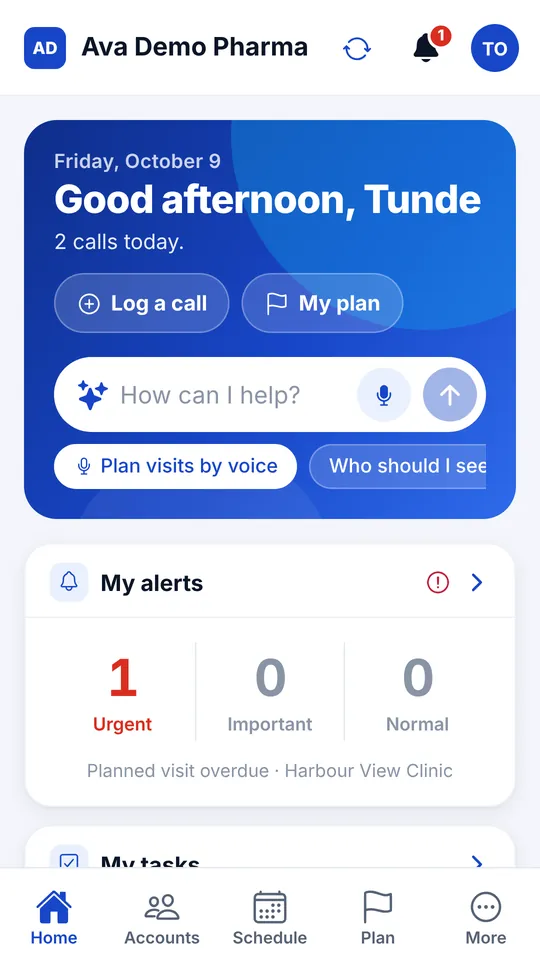
Ava CRM home screen for a rep: today's calls, Log a call and My plan buttons, the Ask Ava box and alerts

Features by role

One app, four views

Each person signs in with a company code, their work email and a password, and sees only their own territory or team.

Sales rep

Everything needed in the field, in the order the day happens.

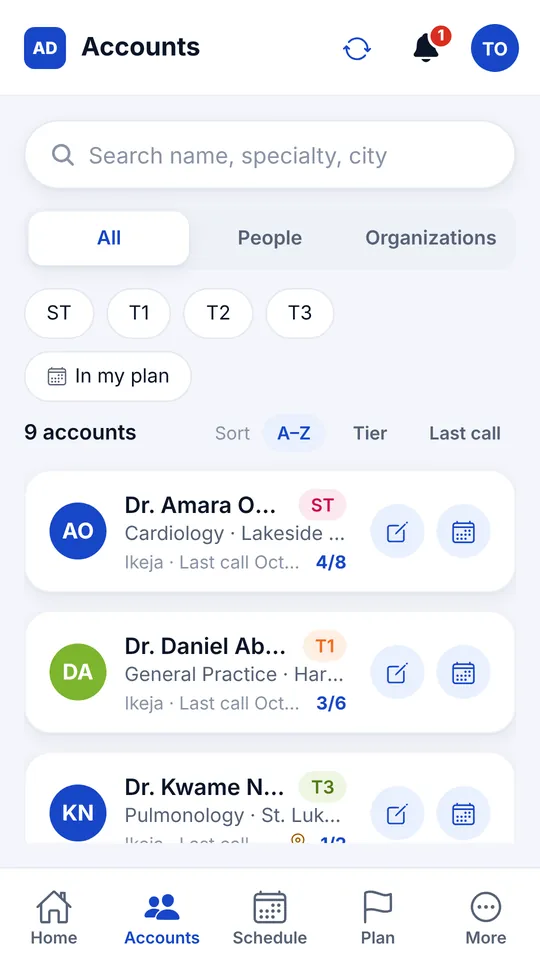
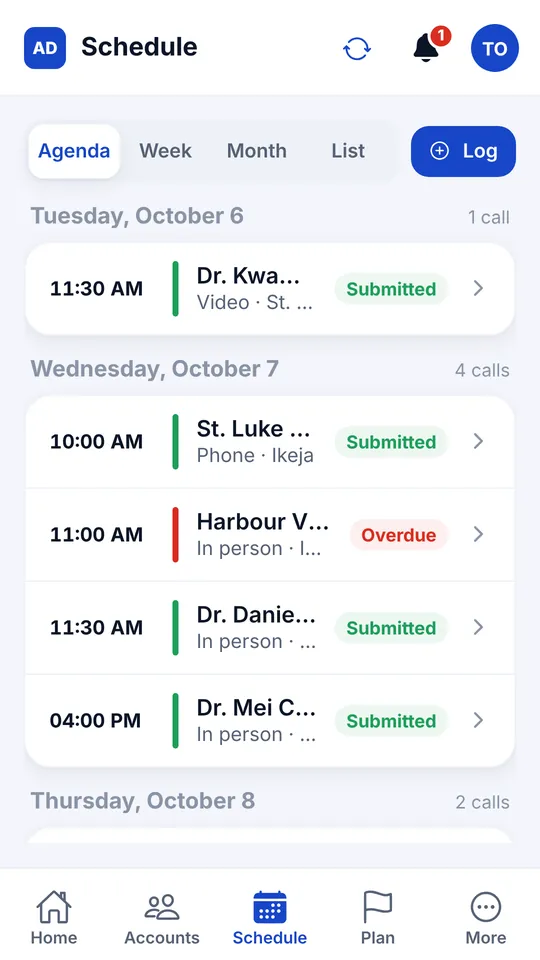
  • Today's route and a schedule by agenda, week or month
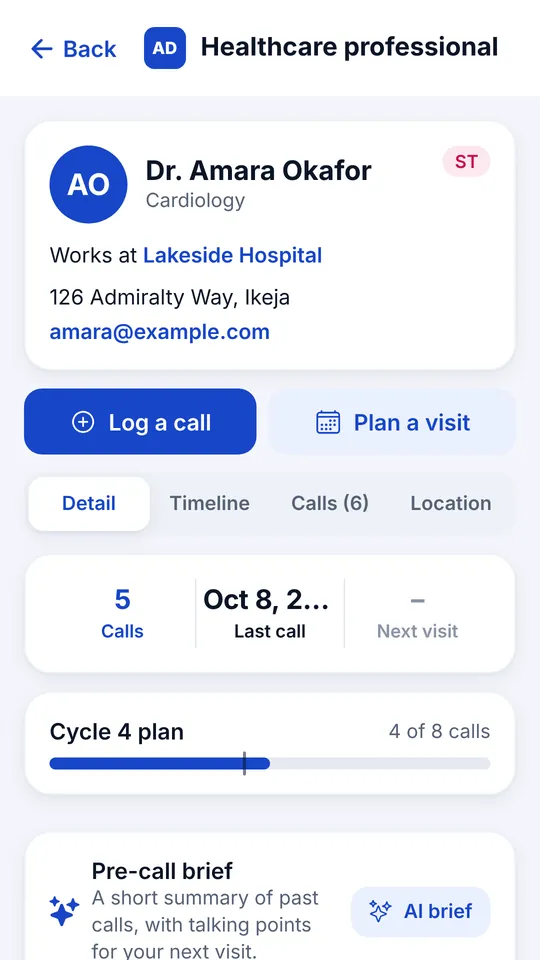
  • Call logging with GPS check-in, marked Verified at the account
  • Call objectives set before the visit, and follow-ups after it
  • Product presentations shown during the call, with time spent per slide
  • WhatsApp brochure sharing, sample stock and doctor signatures for samples
  • Tasks with phone reminders, Visit next suggestions and calendar sync
First-line manager

Approve, coach and follow up without chasing spreadsheets.

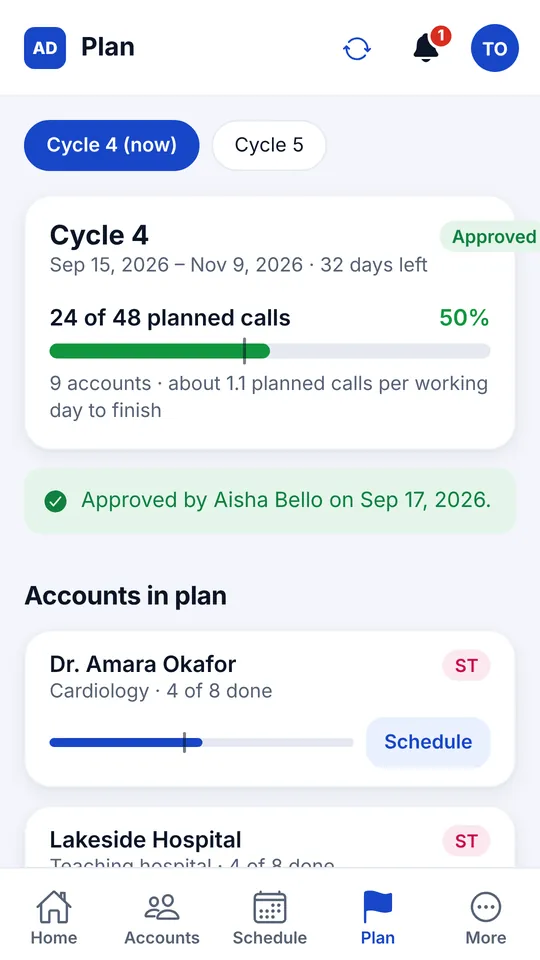
  • Cycle plans with manager approval, or send back with a note
  • Coached visits recorded against the rep and the call
  • Weekly coaching summary for each rep
  • Leave approval and data change approval
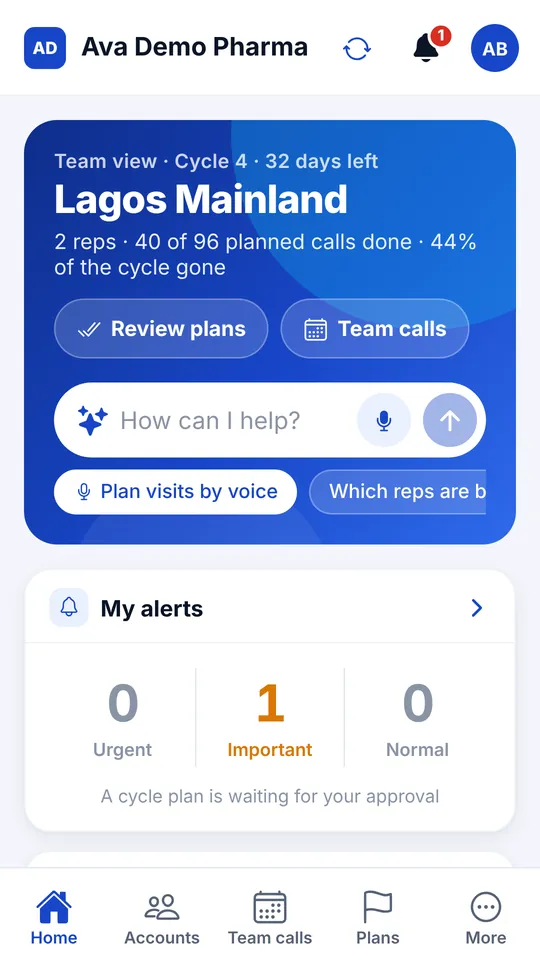
  • Team plan progress and check-in compliance

Second-line manager

See every team side by side and where coverage is slipping.

  • Teams compared side by side, with rep ranking
  • Coverage by account tier across the region
  • Reports and CSV export of calls, plans and KPIs

Administrator

Set the company up once and keep the data clean.

  • Company logo, users, roles, reporting lines and tier names
  • Accounts with tiers, plus KOL, potential and segment profiling
  • Duplicate checks and approval of data changes
  • CSV import of accounts, users and products, with errors shown line by line
  • Events and CMEs, products and presentations
  • A demo company to train new staff without touching real data

See every feature · Take the product tour

Screenshots

See Ava CRM in action

Screens from the demo company, on a phone and on a tablet. Swipe or scroll the row to see more.

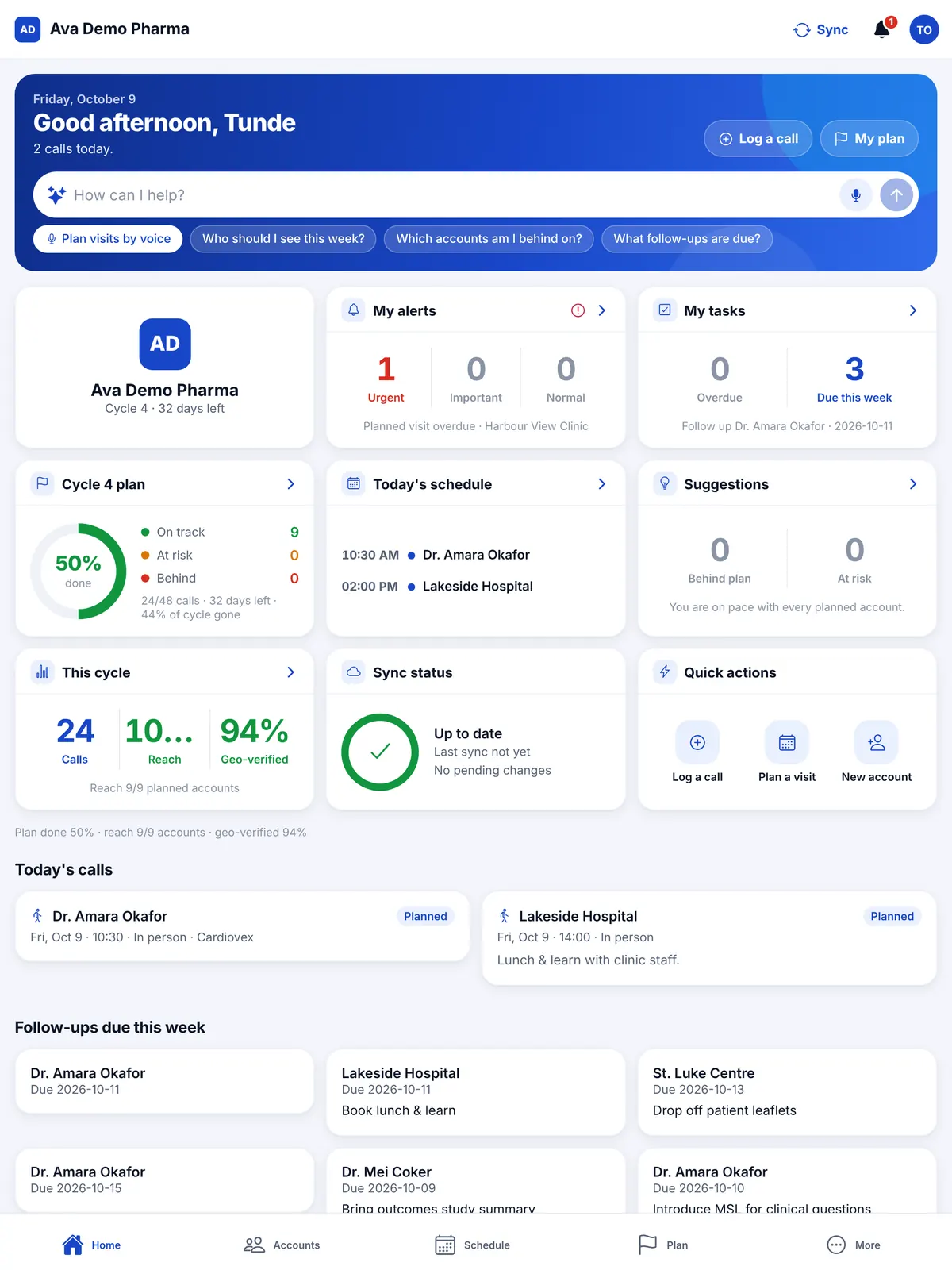
Tablet home screen with alerts, tasks, cycle plan progress, today's schedule and sync status
Rep home on a tablet
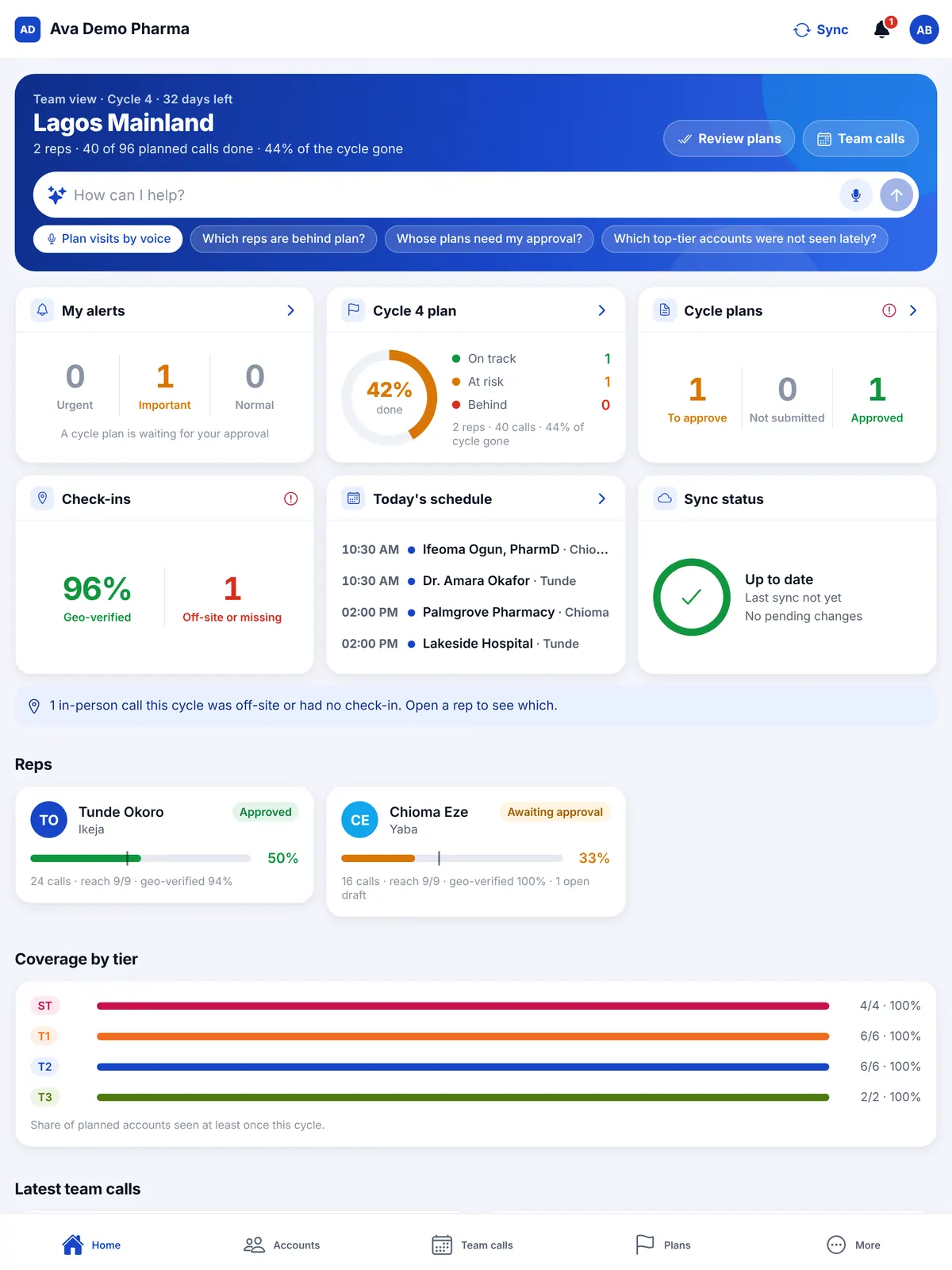
Tablet team view for a manager with check-in rate, reps' plan progress and coverage by tier
Team view on a tablet: check-ins, plans and coverage by tier

Your data stays with you

Kept in your company's own OneDrive or Google Drive

Ava CRM does not keep a central database of your accounts, calls and plans. When your administrator sets up the company, they link your own Google Drive or Microsoft OneDrive, and Ava CRM saves all your working data as files in an "Ava CRM" folder there. Readable spreadsheet copies are saved in the folder too, so your data opens in Excel without the app.

With Google Drive, Ava CRM asks only for access to the files it creates itself (the drive.file permission) and the linked account's email address. It cannot see any other file in your Drive. Your administrator can remove that access at any time.

Read the Ava CRM privacy policy and terms of service.

  • Google Drive or Microsoft OneDrive
  • Access only to Ava CRM's own files
  • Each person sees only their own territory or team
  • Audit log of every change, in your folder
  • Passwords stored only as hashes
  • Works offline; changes upload as soon as there is signal, or with the Sync button

Pricing

Simple pricing per user

From

₦8,500 per user per month

  • 30-day free trial for your team
  • Minimum 1 user
  • Pay yearly and pay for 10 months, not 12
  • Help with setup, data import and manager walkthroughs

Larger teams and procurement

  • More than 50 users: volume pricing, agreed in writing
  • Pay by invoice and bank transfer against your purchase order
  • A formal quote in your company’s name for your finance team

FAQs

Questions teams ask us

Does Ava CRM work without network signal?

Yes. Each phone or tablet keeps a copy of the data its user is allowed to see, so reps can log calls and check plans without signal. Changes save a moment after they are made; without signal they wait on the phone and upload once it reconnects, or when the rep taps Sync. Each phone also picks up the rest of the team's changes every few minutes.

Who owns our data?

Your company does. Your records are saved in your own Google Drive or OneDrive, your company is the data controller for them, and Ava Healthcare does not keep copies of your CRM files. If you stop using Ava CRM, the folder and its spreadsheet copies stay with you.

Does it work on Android, iPhone and computers?

Ava CRM runs on Android phones and tablets (get it on Google Play), and in any modern web browser through the web app, including on iPhone, iPad, Windows and Mac. Ask us about the iPhone app when you book your demo.

What support do we get?

We help your administrator set up the company, import accounts and users, and walk your managers through the app. After that, your team can reach us by email at hello@avahealthcareltd.com or on WhatsApp at +234 803 467 8355.

How does Ava CRM handle privacy under the Nigeria Data Protection Act?

Our Ava CRM privacy policy is written in line with the Nigeria Data Protection Act 2023. Your data stays in your own drive, each user sees only the data their role allows, every change is logged, and healthcare professionals in your records can ask your company to access, correct or delete their details. Your company remains responsible for how it collects and uses that data; read our article on what the NDPA means for pharma CRM data.

How does Ava CRM compare with Veeva and other pharma CRMs?

Enterprise platforms such as Veeva Vault CRM, Salesforce Life Sciences Cloud and IQVIA OCE suit large multinationals with budget for a long implementation. Ava CRM is built for small and mid-size pharma teams that want to go live in days and pay per user in naira. Read our pharma CRM buyer’s guide or the detailed comparison.

Can we try it before we pay?

Yes. Start a free trial and your company can use Ava CRM straight away for 30 days, with up to 5 users, 20 HCPs and 20 HCOs, 3 products and 10 Ava AI requests a day. We email your administrator 10 days and 3 days before it ends. When it ends only the administrator can sign in, to subscribe; your data stays in your drive and carries on once you do. The demo company also lets your team explore every screen with sample data.

Book a demo

See Ava CRM with your own team in mind

We set up a trial for your team and walk your managers through the app. Tell us how many reps you have and which regions they cover.

Chat on WhatsApp